Voice Control for Online Stores: What the TWWIM AI Plugin Does Today
One sentence instead of ten clicks. The TWWIM plugin makes online stores controllable by voice and text - clicking buttons, filling forms, navigating pages. One script tag, done. First 100 commands free.
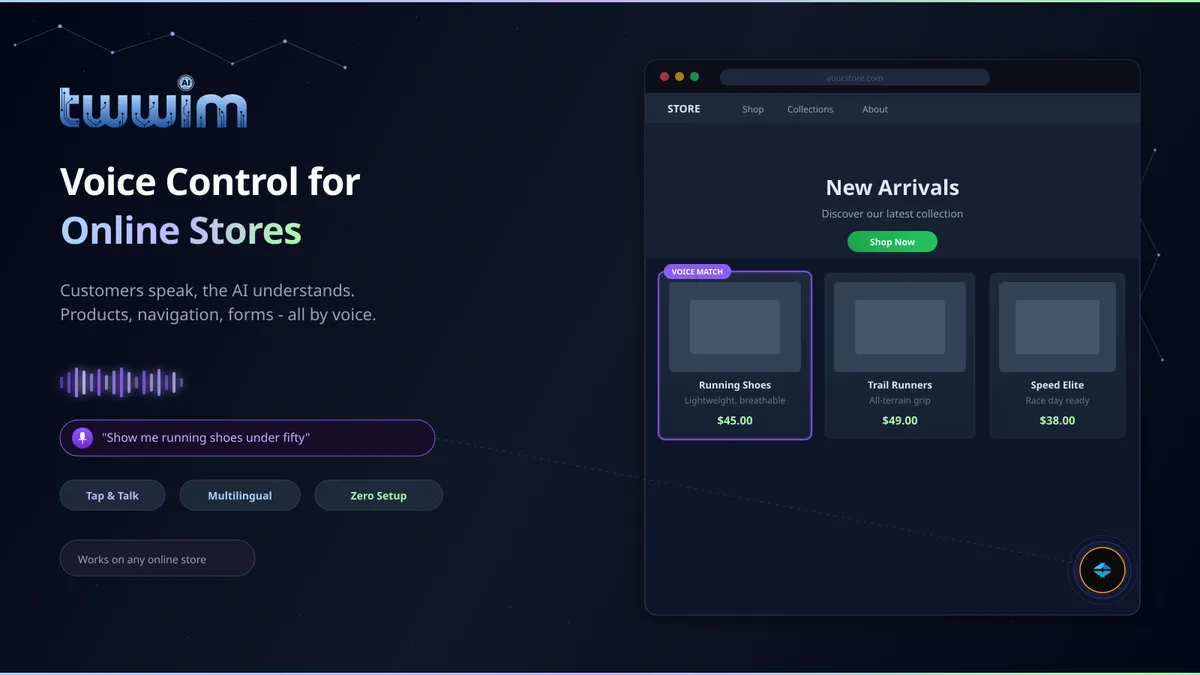
"Show me red sneakers under 80 euros in size 43."
One sentence. No clicking through categories, no setting filters one by one, no scrolling through pages of results. The AI understands the request, navigates to the right place, sets the filters and clicks what needs clicking. The customer speaks - the website obeys.
That is TWWIM AI in action.
The problem hiding in plain sight
Most store owners spend serious money on traffic. Google Ads, social media, influencers. The visitor lands on the site - and then what? They have to figure out how this particular shop works. Where are the categories? What is the size filter called? Is there a way to sort by price?
Every store has its own logic. Customers don't want to learn it every time. Most do it anyway - or they leave. Research shows that up to 70% of visitors leave an online store without buying anything. Not because the products are bad. Because getting to the right product takes too much effort.
I looked at those numbers and asked myself a simple question: why do customers have to learn how a shop works instead of just saying what they want?
What TWWIM AI actually does
TWWIM AI is a Voice AI plugin you add to your store. On Shopify, it is a one-click install from the App Store - the widget appears on your storefront automatically, no code involved. For WooCommerce, Magento, PrestaShop or any other platform, you drop in a single script tag. Done.
From that moment, your visitors can interact with your website by voice or by text. Not with a chatbot that gives canned responses. With the actual page. The plugin understands what the user wants and executes the action.
What that means in practice: TWWIM AI clicks buttons, fills out forms, navigates between pages, scrolls to the right section, selects options in dropdowns and submits forms. Everything a visitor would normally do with a mouse, the plugin handles automatically. Hands-free browsing.
A customer says "add the black jacket to cart" - the plugin finds the right button and clicks it. Someone says "go to the contact page" - the plugin navigates there. "Fill in the contact form, name Max Mueller, email [email protected]" - the plugin types it in.
And for visitors who prefer not to speak or cannot: the whole thing works just as well with text input. Type instead of talk. Same AI, same actions.
Want to see it in action? Try it on twwim.ai. The first 100 commands are free.
Visual feedback instead of guesswork
One thing that bothers me about many AI tools: you never know if something is happening. Did it understand me? Is it still working? Did something go wrong?
TWWIM AI solves this with an animated button that clearly shows what is going on. Listening, thinking, done, error - each state has its own visual signal. Speech bubbles show the user in real time what the plugin is doing or whether it has a follow-up question.
Sounds like a detail. In practice, it decides whether users trust the system or give up after the first attempt.
What you control as a store owner
The plugin adapts fully to your shop without needing a developer.
Position: choose from eight screen positions for the button. Bottom right, top left, wherever it is least intrusive and most accessible.
Appearance: the button design is customizable through themes so it fits your shop rather than looking like something bolted on.
On and off: you can disable and re-enable the widget at any time without removing the code. Holiday season over, widget off. New collection launched, widget on. One click.
The usage dashboard shows how many commands your visitors use - broken down by voice and text input, successful and failed actions. That gives you a clear picture of whether and how actively your customers actually use the feature.
Quota management shows you at all times how many commands remain in your current plan. No surprises at the end of the month.
Technical details for those who care
The plugin works with every Shopify theme. Also with WooCommerce, Magento, PrestaShop and basically any website that serves HTML. On Shopify, the theme extension handles integration automatically - install the app and the widget is there. On every other platform it is a script tag in the header. No rebuild, no dependencies, no risk to your existing infrastructure.
Voice recordings are processed and immediately discarded. No audio data is stored, no biometric profiles created.
Billing runs through native Shopify billing for Shopify stores and through Stripe for all other platforms. A free plan is included - you can test the plugin before committing to anything.
What this means for agencies
One point I want to address directly because it matters for web agencies: TWWIM is an upsell product with recurring revenue. You install the plugin for your clients, clients pay monthly, you earn along with them. Not a one-time project fee but ongoing revenue.
If that sounds relevant, reach out to me directly. There is a partner program built for exactly this.
What comes next
TWWIM is live and working. But it is still early. I am a solo founder, and there is plenty I want to improve. Better recognition accuracy on complex pages, deeper integration with store-specific features, more control for merchants over plugin behavior.
What I will not promise: that it is perfect. What I can promise: that it works, that I iterate fast, and that early users have direct influence on development.
The first 100 commands are free. No contract, no risk. Install the plugin, test it with your own site, and decide from there.
Find TWWIM on the Shopify App Store. For other platforms: twwim.ai.
Dmitri Botezat is the founder of TWWIM and builds AI-powered solutions for e-commerce and web applications.